Open your resident portal
Some properties have their own portal for residents: rent, repairs, messages, documents and news in one place.
A resident portal is a page your property sets up for the people who live there. It shows the same lease, payments, repairs and messages as your Holuway dashboard, limited to that property, plus news from the office.
Get in
The portal has its own address, which your property office gives you. Sign in there with your Holuway account. Anyone with an active or upcoming lease at the property can get in.
From your dashboard: open My home and select Open portal on the Your resident portal card. This signs you in to the portal for you. When both sides have signed your lease, your application's page also offers Open your resident portal.
The portal keeps its own sign-in, so if you open its address directly you may need to sign in there again. New to Holuway? See Set your password from your invitation.
Note: If you see This portal is for residents of the property's name, the account you used has no lease there. Select Use another account and sign in with the email your lease was sent to.
What you can do
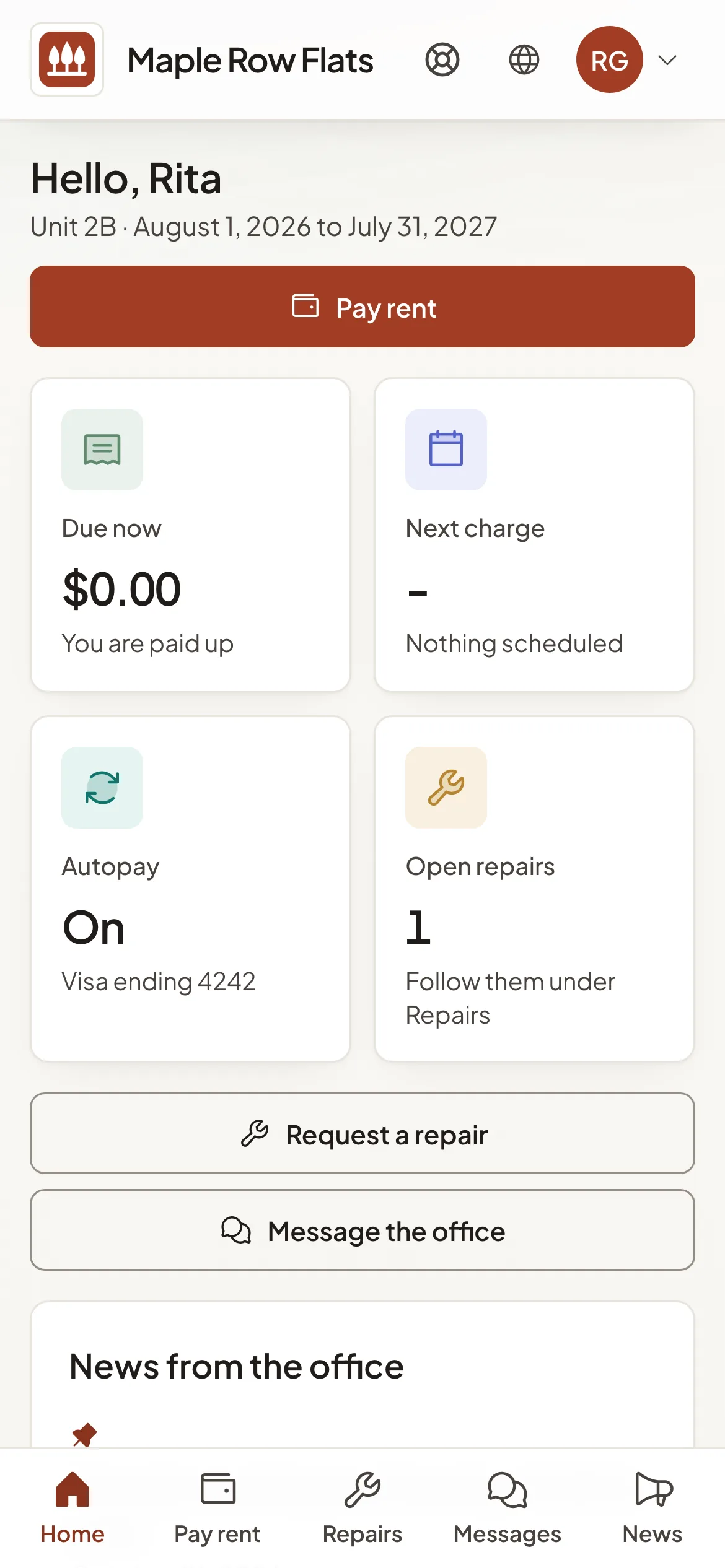
- Home: what is due, autopay, open repairs, news and the office's hours, phone, email and emergency line.
- Pay rent: your balance, statements, card and bank payments, and autopay.
- Repairs: ask for a repair and follow it until it is done.
- Messages: write to the office about your lease.
- Documents: your lease, the files your property shared, and the way to your move-in and move-out reports.
- News: announcements from the office.
On a phone, the tabs are at the bottom of the screen, and Documents is in the account menu under your initials.
Your property may turn some pages off if it handles them another way. If a portal is closed for now, everything is still in your Holuway dashboard: select Open Holuway dashboard. After your lease ends, your past statements and documents stay available.